
Phase 3 of 6
Find artwork you love
Browse and filter, follow artists, save favorites, and ask questions.
In short
Use Browse to filter originals by category, medium, size, price and province, tap the heart to save pieces into folders, and follow artists to see their new work first. You can message any artist before you buy.
As long as you likeUpdated
Where to look#
| Page | What you'll find |
|---|---|
| Browse | Every artwork for sale, with filters. Open Browse. |
| Artists | Discover artists by location. Open Artists, or start with our emerging Filipino artists to collect. |
| Collections | Works grouped by theme, price, or place. Open Collections. |
| Feed | New work from the artists you follow. Open your Feed. |
Everything is one of a kind
Filter what you see#
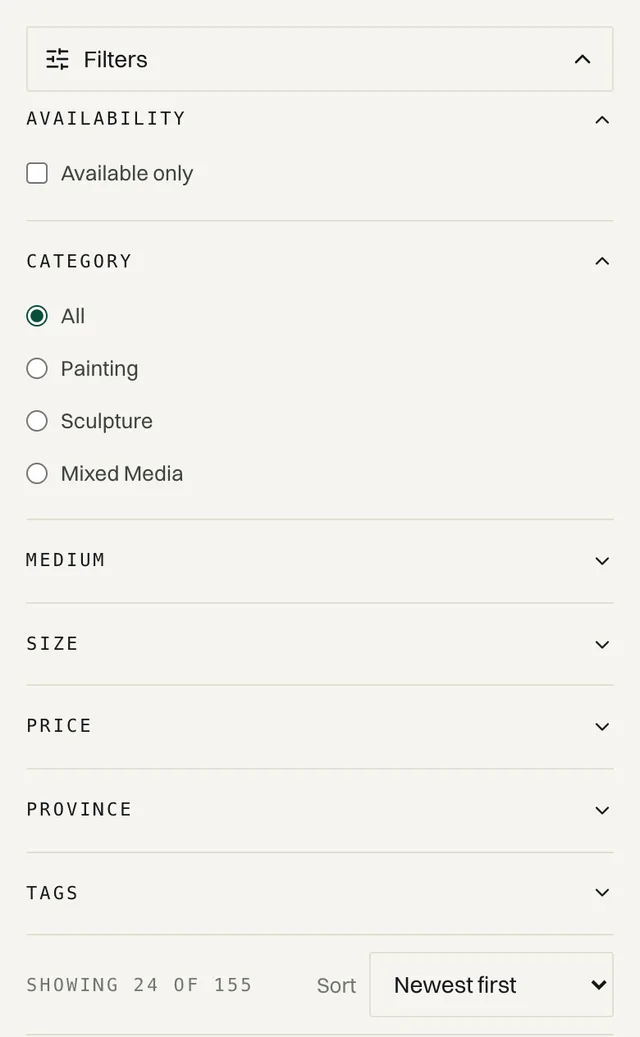
On Browse, combine any of these filters:
| Filter | What it does |
|---|---|
| Availability | Turn on Available only to hide sold pieces. |
| Category | Painting, sculpture, and more. |
| Medium | Oil, acrylic, watercolor, mixed media, and more. |
| Size | Small (under 20 in), Medium (20–32 in), Large (32–55 in), or Oversized (over 55 in). |
| Price | From Under ₱10,000 up to ₱100,000 and up. |
| Province | Find artists near you. Closer usually means cheaper, faster shipping. |
| Tags | Subjects and styles, such as landscape or abstract. |
Sort by Newest first, Price: low to high, or Price: high to low.
Read a listing#
Before you buy, check these on the artwork's page:
What to check
- Dimensions in inches. Measure your wall to be sure it fits.
- Whether it's framed, signed, and comes with a certificate of authenticity
- The condition and the year it was made
- Ships from: the artist's city, which affects shipping cost and time
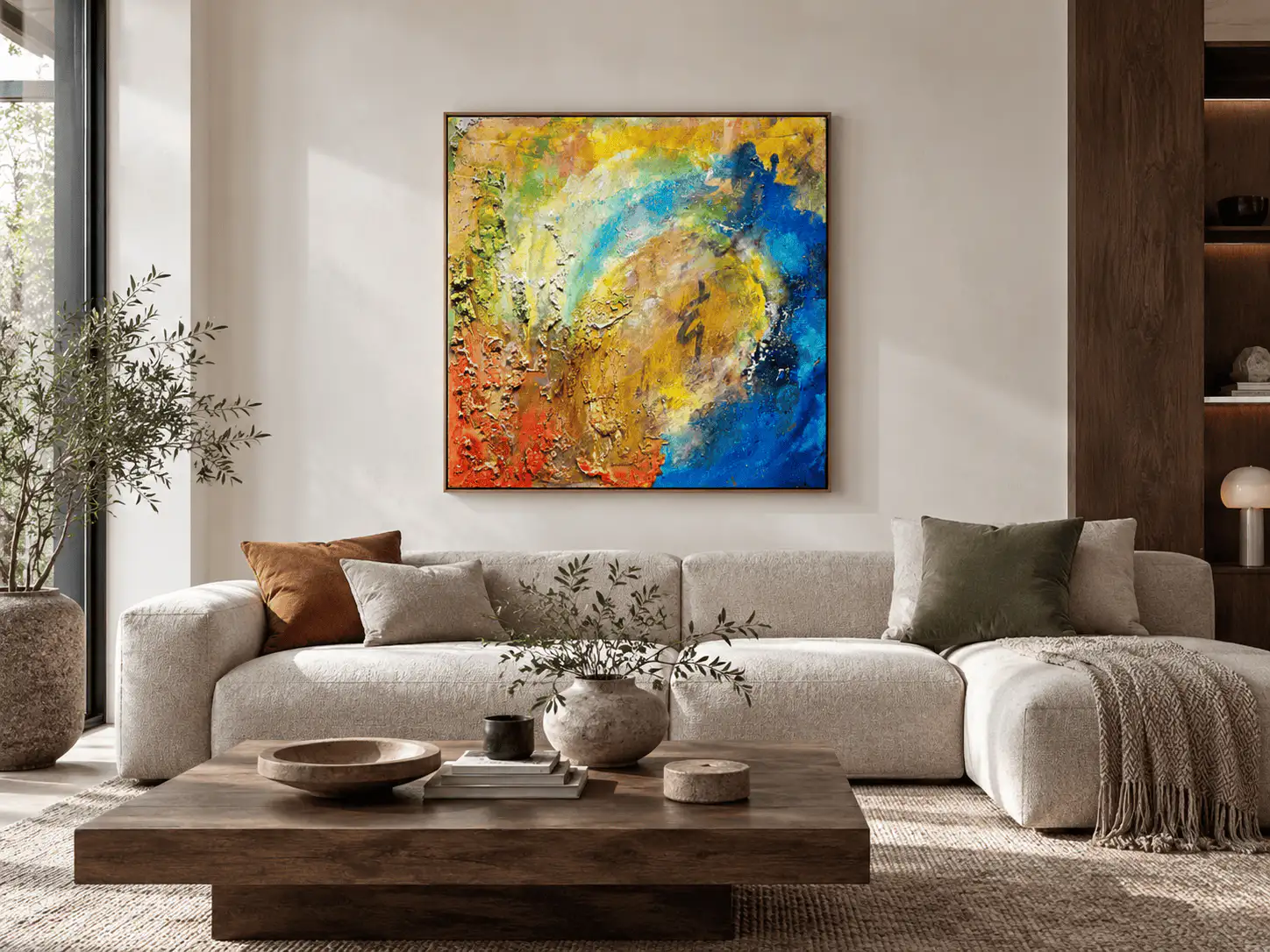
- Every photo, including close-ups and any room preview
Buying a higher-priced piece? Our guide to verifying authentic paintings covers certificates, provenance and what to ask the seller.
Save favorites#
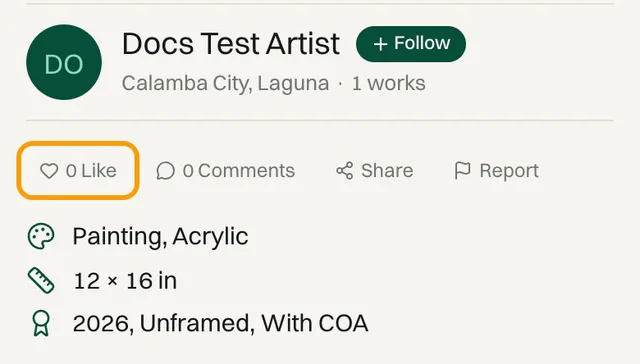
Tap Like (the heart) on any artwork
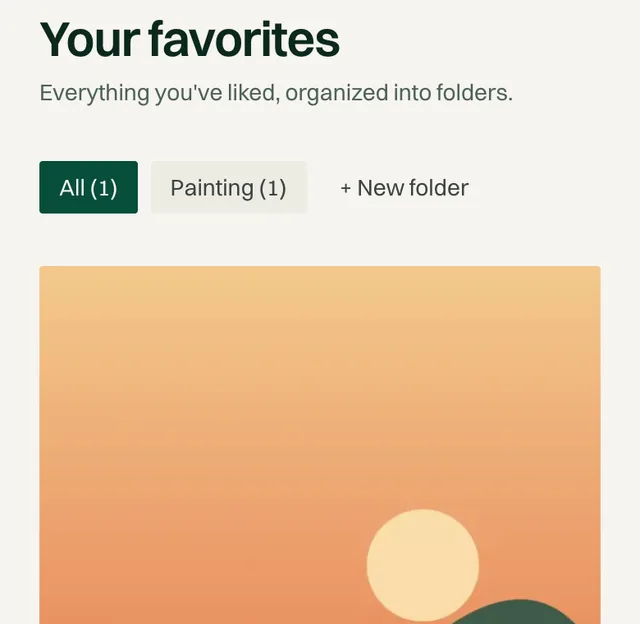
It's saved to your favorites, in a folder named after its category, such as Painting. A note at the bottom of the screen says “Saved to Painting”. Tap Change in that note to pick a different folder.
Organize them into folders
Open DashboardFavorites. Tap a folder to filter, + New folder to make one like “Living room” or “Gift ideas”, and Move to folder on any piece to move it.
Follow artists#
Tap Follow next to the artist's name on any of their artworks, or on their profile. Their new work appears in your Feed, so you see it before it sells.
Message the artist#
Artists sell directly to you, so you can ask them anything before you buy.
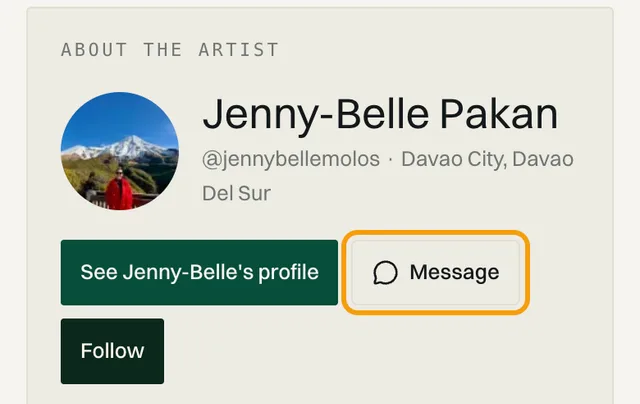
Tap Message on the artwork or the artist's profile
On an artwork, it's in the About the artist box further down the page, next to Follow.
Ask your question
Good things to ask:
Ideas
- Can I see a photo of the back, the edges, or the signature?
- Can you send a photo of it on a wall, for scale?
- Is it ready to hang?
- Would you make a similar piece as a commission?
Find replies in DashboardMessages
You'll also get an email and a notification when the artist replies.
Always pay through Obramaestra
Common questions#
Can I reserve a piece while I decide?
No. Every piece is one of a kind and goes to whoever pays first. Saving it to your favorites keeps it easy to find, but doesn't hold it.
A piece I love is sold. What can I do?
Tap Request commission on the listing to ask the artist for something similar, and follow them so you see their next work first.
Related reading
- Collecting · 12 min read10 Emerging Filipino Artists to Collect in 2026 (And Where to Buy Their Work)Ten emerging Filipino artists worth collecting now, with the exact piece to start with, what it costs in pesos, and how to buy it with your payment protected.
- Collecting · 10 min readHow to Verify the Authenticity of Artworks in the Philippines: A Collector's GuideA six-step check to verify authentic paintings in the Philippines before you pay: provenance, certificates, the front and back of the canvas, and what to ask a seller for, whether the work is an Amorsolo or a canvas by a living Filipino artist.
- Collecting · 8 min readArt Fairs vs. Online Art Marketplaces: Where Should You Buy Philippine Contemporary Art?Art Fair Philippines or an online marketplace? Compare what each route costs, what gallery commissions add to the price, and which one fits your first original.
Stuck on a step? Email support@obramaestra.art with a screenshot and the step you're on, or use the contact page.