
Phase 2 of 6
Set up your profile
Your name, location, and an optional photo and bio.
In short
Collector setup has three steps: your display name and city, an optional photo and bio, and one quick question. You can also verify your phone and ID for a black verified check, which is free for every collector.
2 minUpdated
After you choose the Collector role, you'll see Set up your profile. It has three quick steps.
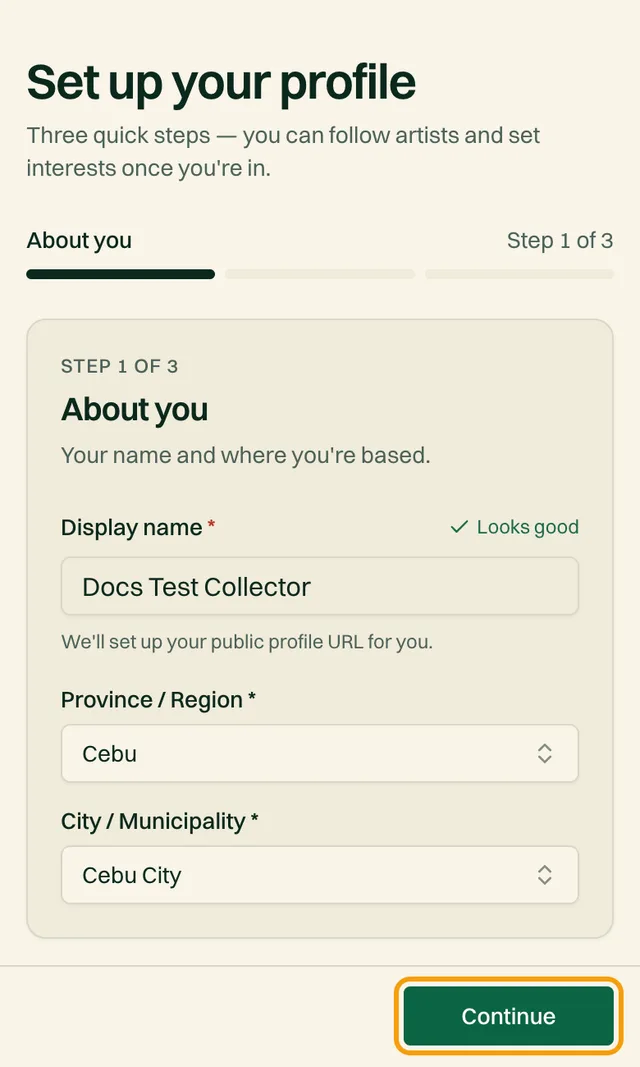
1. About you#
| Field | What to enter |
|---|---|
| Display nameRequired | The name artists and other collectors see. We create your public profile link from it. |
| Province and cityRequired | Choose your province or region, then your city or municipality. This helps show you artists near you. |
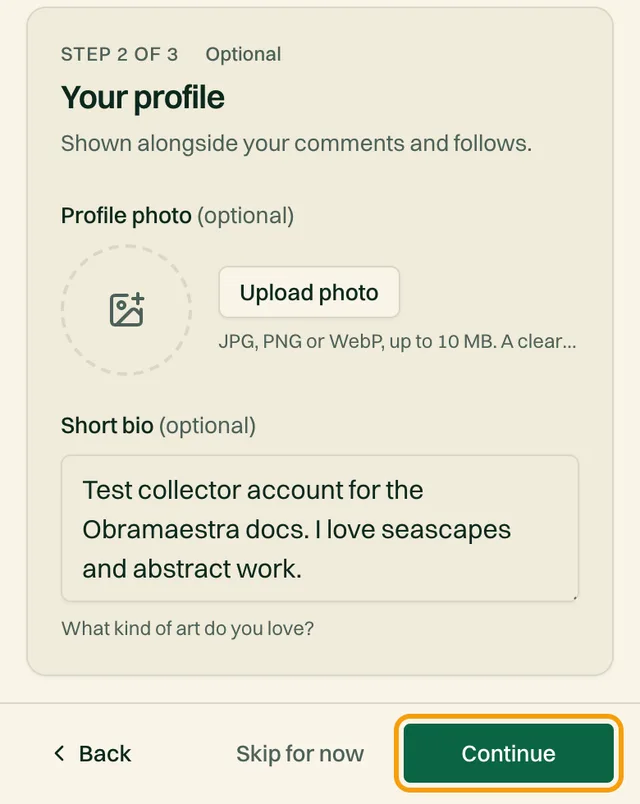
2. Your profile (optional)#
Shown next to your comments and follows.
| Field | What to enter |
|---|---|
| Profile photoOptional | JPG, PNG or WebP, up to 10 MB. You can add one later. |
| Short bioOptional | What kind of art do you love? Artists see this when you message them. |
3. Almost done#
Pick where you heard about Obramaestra
Check your details, tapping Edit on any line to fix it
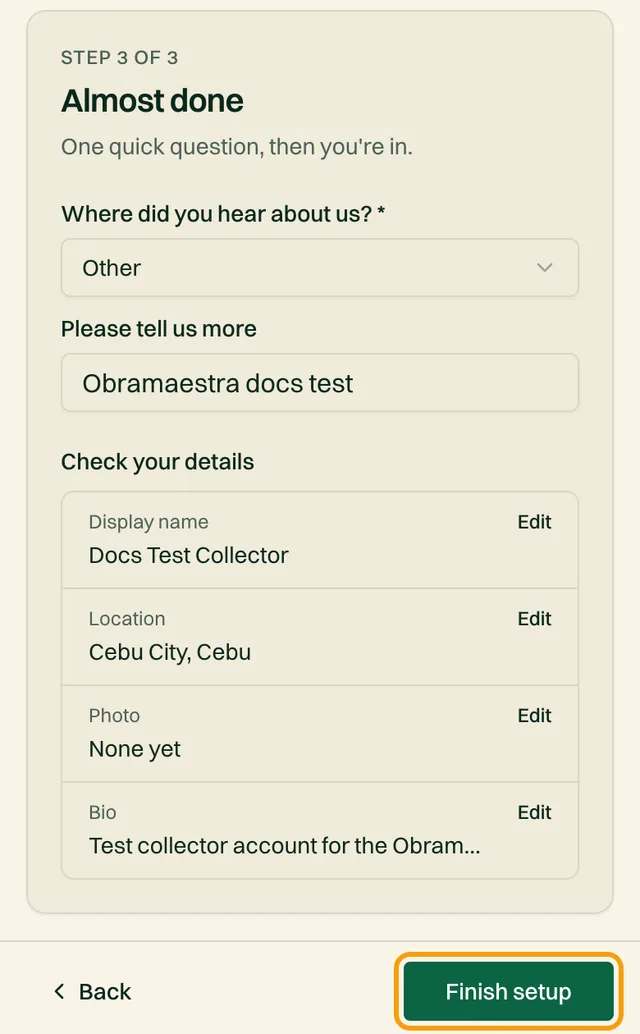
Tap Finish setup
You'll see You're all set! and land on your dashboard.
Change any of it later from DashboardAccount.
Optional: get verified#
A black check beside your name tells artists we've confirmed your phone number and government ID. It's free for every collector and helps when you message artists or ask about commissions.
Go to DashboardVerification
Verify your mobile number
Enter your 11-digit number starting with 09, then the 6-digit code we text you.
Submit your government ID
Enter your legal name exactly as printed on the ID, choose the ID type, and upload a clear photo with all four corners visible. Tap Submit for review.
Private and reviewed by hand
Choose your notifications#
DashboardNotifications lets you choose which updates you get, such as new work from artists you follow. Order updates (payment, shipping, delivery) also come by email. You can also sign up for the newsletter.
Related reading
Stuck on a step? Email support@obramaestra.art with a screenshot and the step you're on, or use the contact page.