
Phase 3 of 6
List your first artwork
Details, price, size and weight, photos, then publish.
In short
Go to Dashboard, then Artworks, and tap List new artwork. Fill in three steps (details and price, size and weight, photos with alt text), then tap Publish; you can save a draft or unpublish a listing at any time.
10 minUpdated
Prepare before you start#
A listing takes about 10 minutes once you have everything ready. Gather these first:
Have ready
- Good photos: the full work, a close-up of the surface, the signature, and the back or edges
- A tape measure: width, height, and depth in inches
- A scale: the artwork's own weight in kilograms, without packaging
- The year you made it, and whether it's signed, framed, and comes with a certificate of authenticity
- Your price in pesos
How many pieces you can list
Start a new listing#
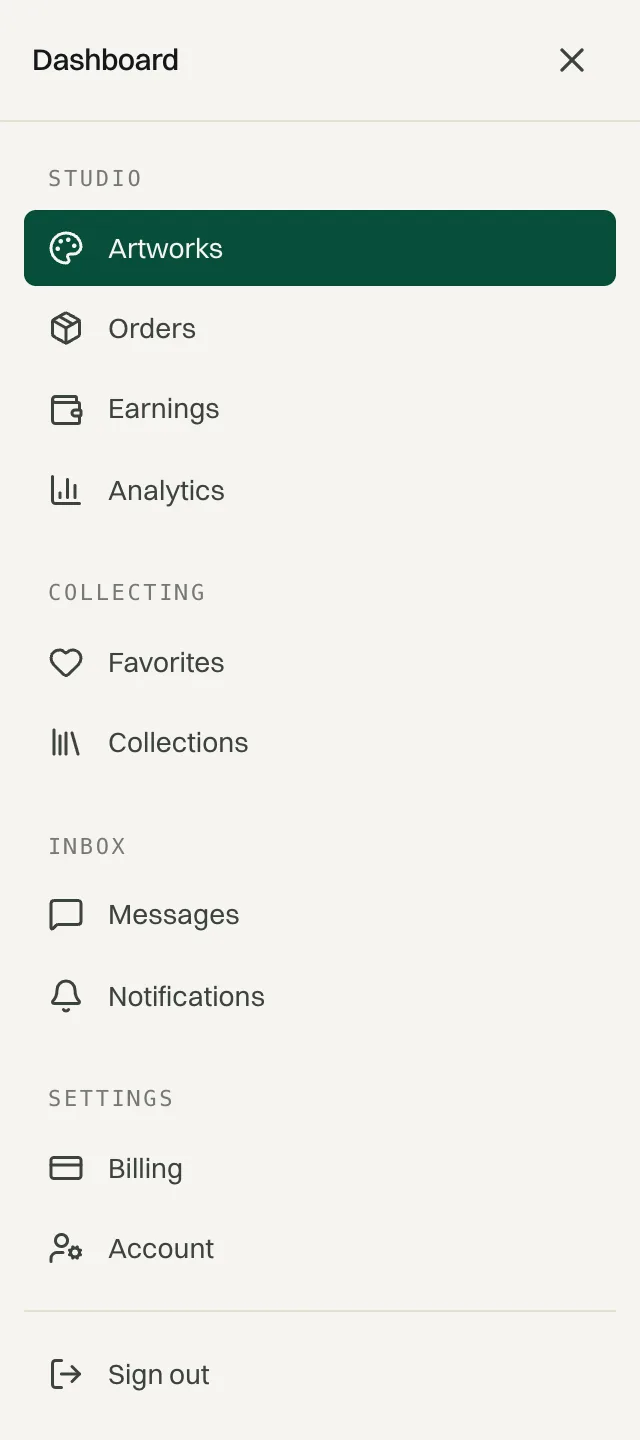
Go to DashboardArtworks
On a phone, the dashboard sections are behind the Menu button at the top of any dashboard page.
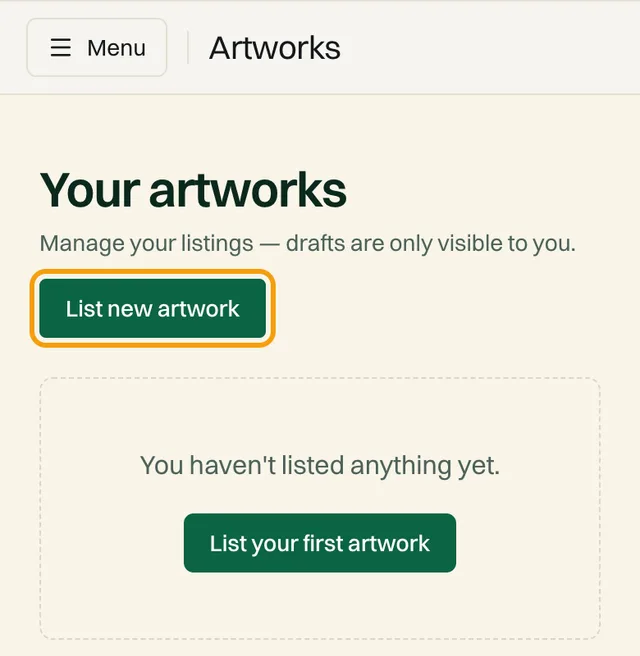
Tap List new artwork
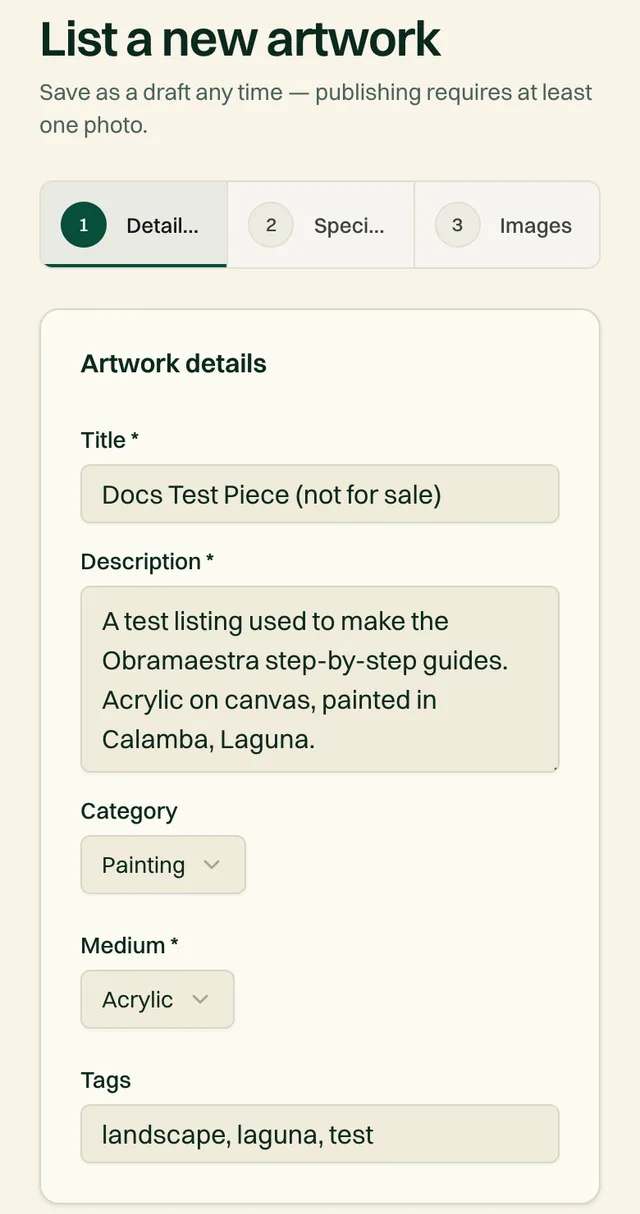
The form has three steps shown at the top: Details & pricing, Specifications, and Images. You can tap a step to jump back to it at any time.
Step 1: Details & pricing#
| Field | What to enter |
|---|---|
| TitleRequired | The work's name. Keep it short and specific, e.g. “Morning Tide, Batangas”. |
| DescriptionRequired | What the piece is about, the materials and technique, and the story behind it. Up to 4,000 characters. |
| CategoryOptional | The kind of work, such as Painting or Sculpture. Collectors filter by this. |
| MediumRequired | What it's made with, such as Acrylic or Oil. Collectors filter by this too. |
| TagsOptional | Up to 12 words, separated by commas. For example: landscape, abstract, cebu. |
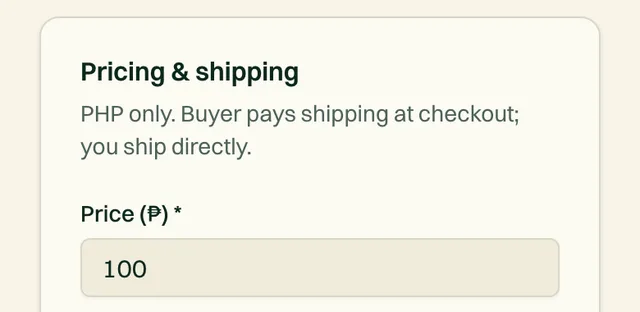
| Price (₱)Required | In whole pesos. The minimum is ₱100. Shipping is added on top at checkout, so don't include it. |
What you'll take home
Tap Next: Specifications.
Step 2: Specifications#
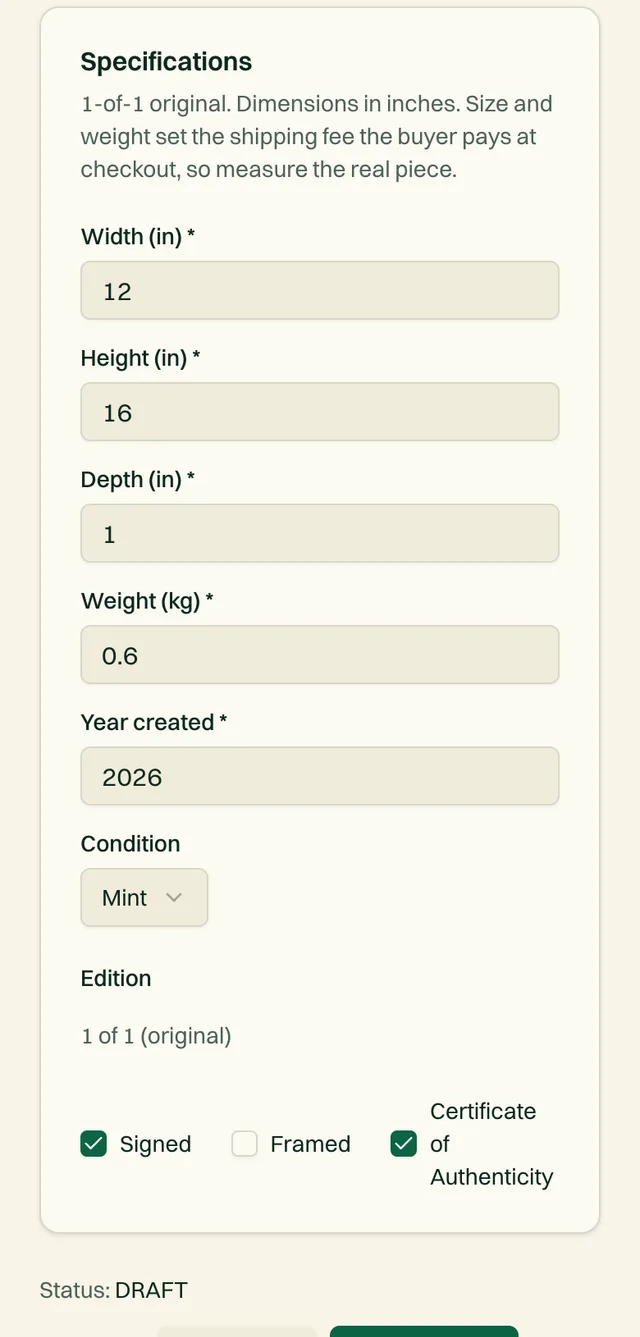
| Field | What to enter |
|---|---|
| Width (in)Required | Measured across the front, including the frame if it's framed. |
| Height (in)Required | Measured top to bottom, including the frame if it's framed. |
| Depth (in)Required | The thickness of the canvas edge, frame, or panel. For sculpture, front to back. |
| Weight (kg)Required | The artwork itself. Don't weigh the box. We add packaging weight automatically. |
| Year createdRequired | The year you finished the piece. |
| ConditionOptional | Mint, Excellent, Good, or Fair. |
| EditionOptional | Always “1 of 1 (original)”. You can't change it. |
| Signed / Framed / Certificate of AuthenticityOptional | Tick each one that applies. Buyers see them on the listing. |
Size and weight set the shipping fee
Tap Next: Images.
Step 3: Images#
Upload your photos
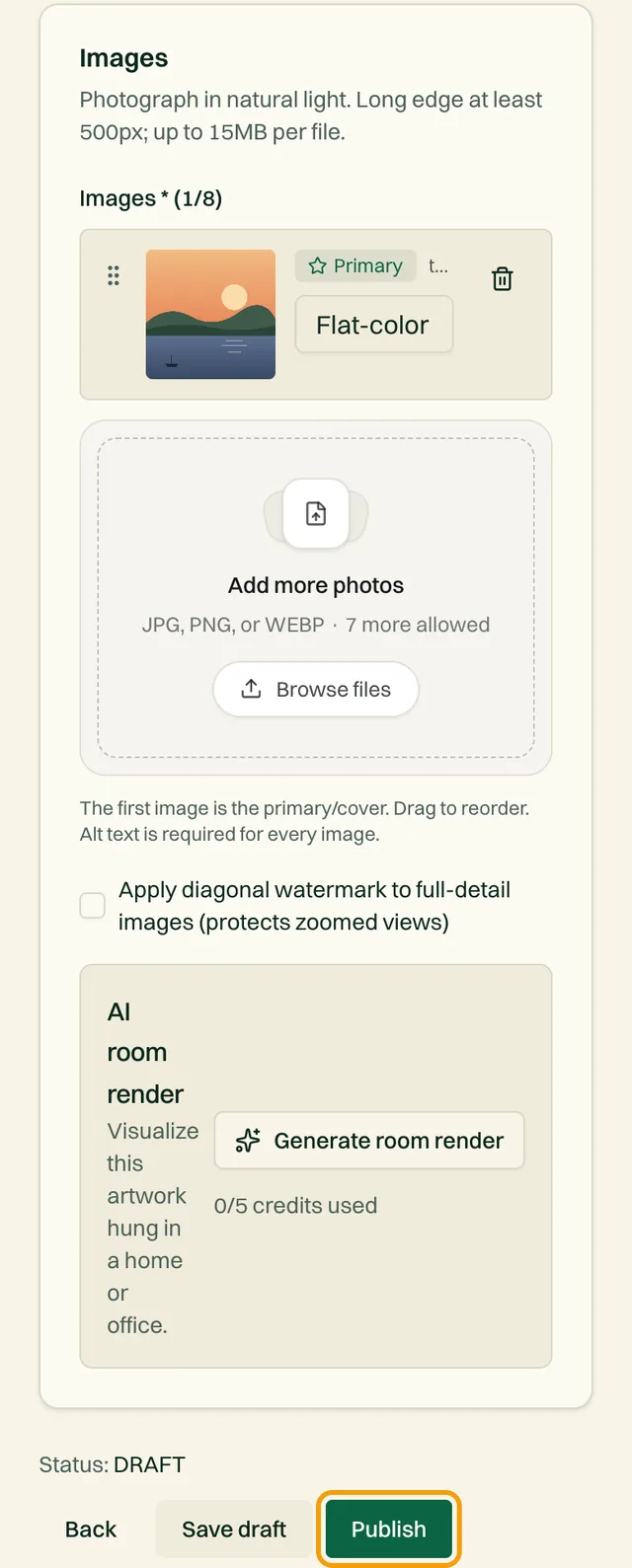
Drag photos into the box or tap to choose them. The long edge must be at least 500px, and each file can be up to 15MB.
Add alt text to every photo
Alt text is a short description of what's in the photo, e.g. “Close-up of the signature, lower right corner”. It helps collectors who use screen readers and helps your work show up in search. You can't publish until every photo has some.
Choose your cover photo and order
The first photo is the one collectors see in browse results and on shared links. Make it the full, straight-on view.
Decide on the watermark (optional)
Tick Apply diagonal watermark to full-detail images to protect the zoomed-in views from being copied.
Try an AI room render (optional)
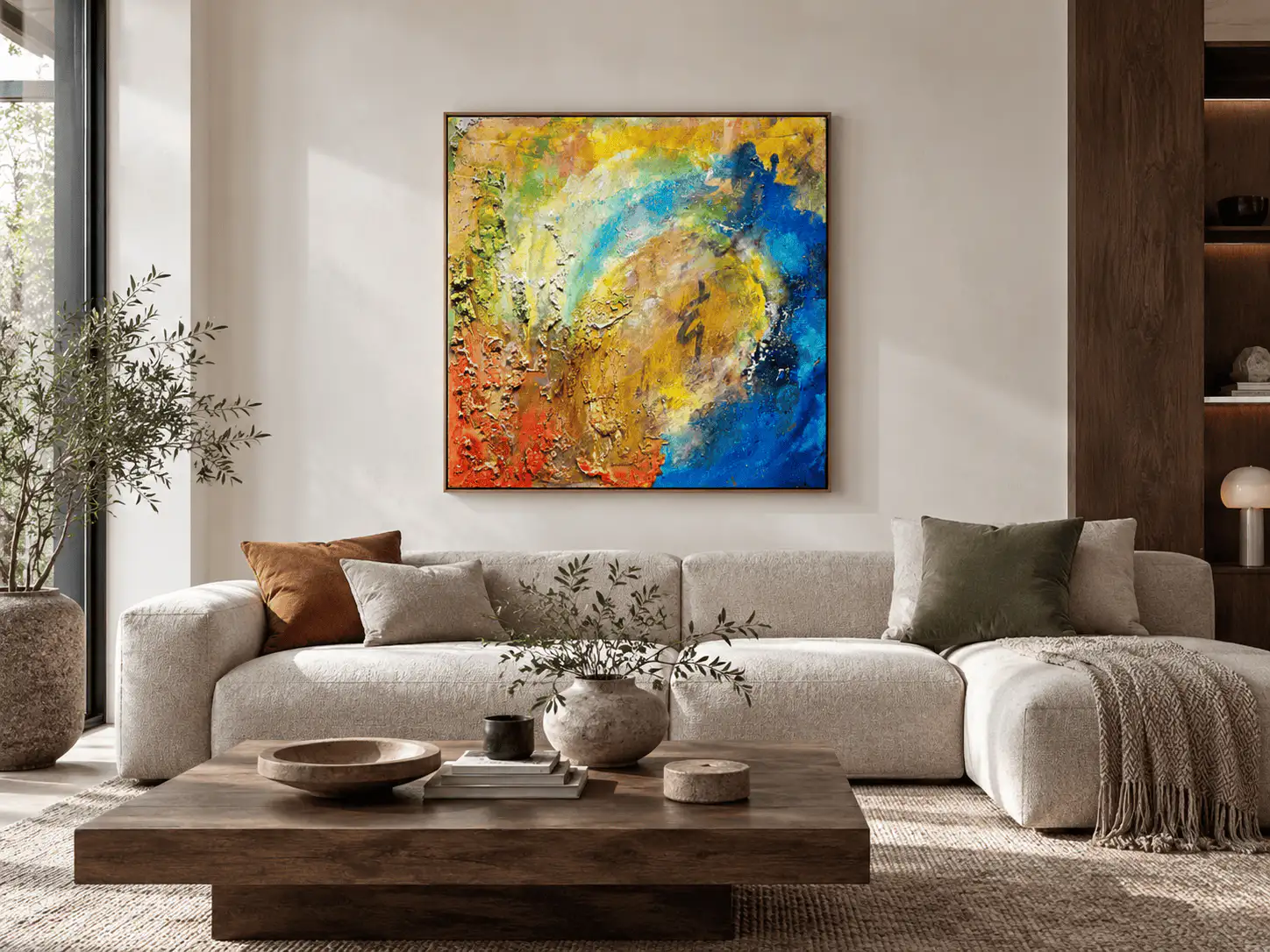
Under AI room render, describe a room and get a realistic preview of your artwork hanging in it. Your artwork itself is never altered, only the room around it. If you like the result, add it to the listing. You get 5 renders a month on Free, 25 on Basic, and 50 on Pro.
Photo tips that sell
Do
- Shoot in natural daylight, near a window
- Hold the camera straight on so the edges are square
- Show the texture, signature, and back
- Include a photo of the work on a wall for scale
Don't
- Use flash (it causes glare on paint and glass)
- Add filters that change the colors
- Crop off the edges of the work
- Use photos of a different, similar piece
Save a draft or publish#
At the bottom of the form you have two choices:
| Button | What it does |
|---|---|
| Save draft | Saves everything privately. Only you can see it. Finish it later from Dashboard › Artworks. |
| Publish | Makes the listing public right away. Collectors can find it, message you about it, and buy it. |
Publishing checks that you've filled in every required field, uploaded at least one photo, and added alt text to each photo.
Before you move on
- The price is right, and doesn't include shipping
- Width, height, depth, and weight are measured, not guessed
- The cover photo is a clean, straight-on shot
- You've opened the public listing and checked how it looks
Edit a listing and its status#
To change a listing, go to DashboardArtworks, tap Edit next to the piece, make your changes, and tap Update.
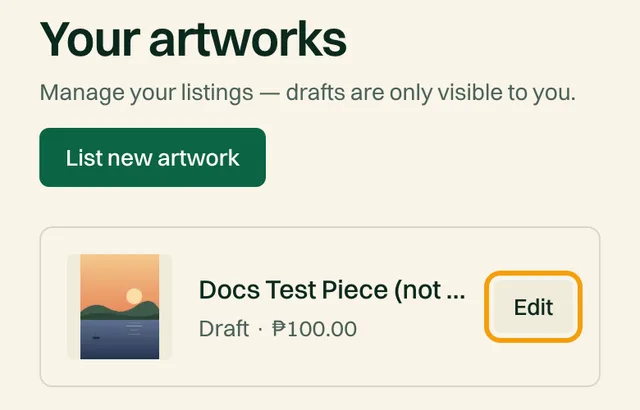
Every listing has one of these statuses. You set the first two; the other two are set for you.
| Status | What it means |
|---|---|
| Draft | Private. Only you can see it. You set this with Save draft, or Unpublish on a live listing. |
| Published | Public and for sale. You set this with Publish. |
| Reserved | On hold, for example while a sale somewhere else is being finalized. Collectors can see it but can't buy it. Only the Obramaestra team can set this. |
| Sold | Set automatically when a collector pays for it on Obramaestra, or by our team if it sold elsewhere. It stays on your profile as part of your portfolio, but it can't be bought again. |
Take a listing down, or put it back up
Open the listing from DashboardArtworks and tap Edit
Tap Unpublish, then confirm
The listing becomes a draft. It disappears from your profile and from Browse, and nobody can buy it. Any changes you made on the form are saved too.
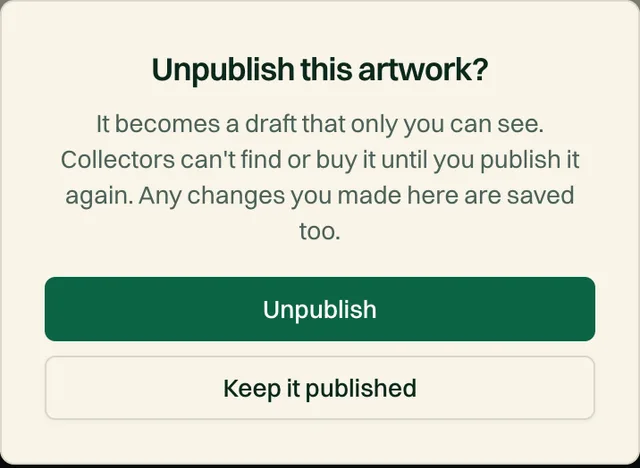
To put it back up, open it again and tap Publish on the Images step
Your followers aren't notified a second time when you republish a piece.
Sold it outside Obramaestra?
Sold work still helps you
Common questions#
Can I list prints or a series of the same image?
No. Every listing must be a single physical original. Prints, editions, and reproductions aren't allowed.
Can I sell the same piece somewhere else at the same time?
You can, but you can't mark it Sold or Reserved yourself. The moment it sells or a sale is pending elsewhere, email support@obramaestra.art and we'll mark it for you. If a collector pays for a piece you no longer have, the order has to be refunded.
My piece is longer than 59 inches. Can I still list it?
Yes, but email support@obramaestra.art before you ship it. Parcel couriers have size limits, so we'll work out the right approach with you.
Related reading
Stuck on a step? Email support@obramaestra.art with a screenshot and the step you're on, or use the contact page.